Recent Questions Tree Menu Dll
Q: I have a menu defined that displays and operates correctly in a page. However, if I place that same page in an iFrame the menu displays correctly BUT the texpanded parameter no longer works.
If I copy the contents of the iFrame and run it again in a new window, it all works fine again.
Is there something special I need to do in an iFrame?
A: Javascript/DHTML Tree Menu doesn't work with <IFrame> objects. It works with
Q: We are facing a problem with display of deluxe menu in Internet explorer 7.0
Java script menuis displaying fine in Mozilla Firefox & Internet Exploer 6.0.
A: Your browser has JavaScript option disabled.
It means that no one JavaScript element can be run.
You should to enable JavaScript in IE:
Tools -> Internet Options -> Security -> Custom level... -> Scripting -> Active Scripting = Enable
There is no way to enable these preferences automatically, in othercase there are no reasons to create security preferences.
You can use search engine friendly code, so you'll see all yourlinks (for the main items and submenus) when your security settings in IE doesn't allow Javascript.
You can generate search engine friendly code.
JavaScript Tree Menu is a search engine friendly menu since v1.12.
To create a search engine friendly menu you should add additional html code within your html page:
<div id="dmlinks">
<a href="menu_link1">menu_item_text1</a>
<a href="menu_link2">menu_item_text2</a>
...etc.
</div>
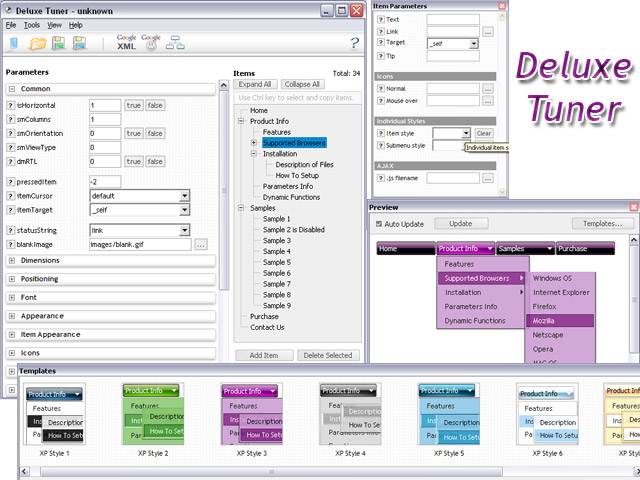
To generate such a code use Deluxe Tuner application.
You can find this GUI in the trial package.
Run Tuner, load your menu and click Tools/Generate SE-friendly Code (F3).
Q: I want to use java sliding menu Deluxe as a data-entry system. I can see how to use the dynamic facilities to allow the user to create and populate nodes but at the end of the client's work I would like them to hit 'submit' on a form and pass all data they have created to the server for processing. How do I pass the data back to the server in the java sliding menu?
A: You are able to paste any html code within java sliding menu items.
For example:
var tmenuItems = [
...
["<nobr><FORM method=GET action='http://www.google.com/custom'><input name='as_q' value='searchthe web' size=15 style='font-size:10'> <INPUT type=hidden name=cof value='LW:144;L:http://domain.edu/images/sulogo.gif;LH:45;AH:center;GL:0;S:http://domain.edu;AWFID:e01cb67b8afe383e;'> </form></nobr>","", "images/icons/search.gif", "", "", "", "", "", "", "", "",],
You should write your own code within menuItem.
Q: I'am trying the deluxe menu v3.2.3.6 but I don't Know how to do it in order to get the same as you have in your page, I mind how I have to do to add the content in each javascripts menu tab?
A: You should specify any Object ID name of the DIV.
See, for each item you should assign the ID property of the contentDIV (see data file with your javascripts menu parameters).
["Style Name","contentName", "", "", "", "", "1", "", "", ],
["-","", "", "", "", "", "0", "", "", ],
["Style Description","contentDescription", "", "", "", "", "", "", "", ],
["-","", "", "", "", "", "0", "", "", ],
["Style Variations","contentVariations", "", "", "", "", "", "", "", ],
["-","", "", "", "", "", "0", "", "", ],
["Empty","", "", "", "", "", "2", "", "", ],
And on your html page you should create DIV's with such ID. You canset background image for these DIV's in styles.
<div id="contentName" style="height: 0%; visibility: hidden; background-image: url('img/back.jpg'); background-repeat:repeat-y;" class="tabPage">
<br><br><br>
<p align=center><img src="img/style01_title.gif" width=140 height=90 alt="Glass Style Tabs"></p>
<br><br><br>
You should paste your content here!!!!!
</div>
<div id="contentDescription" style="height: 0%; visibility: hidden;" class="tabPage">
<br><br><br>
<p align=center><img src="img/style01_title.gif" width=140 height=90 alt="Glass Style Tabs"></p>
<br><br><br>
You should paste your description here!!!!!
</div>