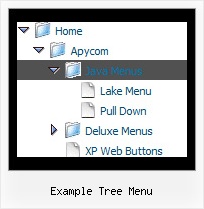
Recent Questions Example Tree Menu
Q: I can't get the hand pointer to work with my dhtml menu scripts in firefox and IE. I know that firefox requires the itemCursor to be set to pointer, but it doesn't work for all links in my menus. I believe that this worked in past version of deluxe-menu, but stopped working somewhere along the way. To recreate this, create a horizontal menu, and set the pressedItem to be one of the menu items and set the itemCursor to be "pointer". Then, you'll see that the pressed item's pointer is the finger icon, but the other menu items are just the arrow. Is there something I'm doing wrong or a setting that will fix this?
A: No, the reason is not in the pressed item.
See when you set:
var itemCursor="pointer";
your cursor will be a hand for the items with url only. For the itemswithout url it will be default arrow.
Q: I have one more question. I built the menu using Deluxe Tuner.
I cannot find where to change the mouse over color from blue to something more appropriate in my drop down menu templates. Can you tell me where to do this?
A: You should change the second color in the following parameter:
var itemBackColor=["#FCEEB0","#65BDDC"];
Q: I am using a licensed copy of JavaScript Tree Menu and am extremely happy with the software and the functionalities provided. Great Work !!
I wanted to know how to hide/ disable the item in the javascript text menu for a particular user/roleid in .ASP.Net1.1 Kindly help me out with this problem as soon as possible.
A: You can find more info here:
http://deluxe-menu.com/dynamic-functions-sample.html
You can try to use API functions in that case:
function dm_ext_changeItemVisibility (menuInd, submenuInd, itemInd, visibility)
To disable items you should set the target parameter to "_".
You can try to use the following function
function disable() {
dm_ext_changeItem(0, 1, 1, ["", "", "", "", "", "_"]);
}
to disable items in your javascript text menu.
Q: Can title attributes be added to a javascript dynamic menu?
A: Yes you can add titles in javascript dynamic menu.
See menuItems parameter:
var menuItems = [
[text, link, iconNormal, iconOver, tip, target, itemStyleInd, submenuStyleInd, jsFilename],
[text, link, iconNormal, iconOver, tip, target, itemStyleInd, submenuStyleInd, jsFilename],
...
];
["Product Info","", "deluxe-menu.files/icon1.gif", "deluxe-menu.files/icon1o.gif", "TITLE", "", "", "", "", "", "", ],